Engineering change management connects design and production. The change record keeps this path together in one place – it brackets the process, while the change master carries out the object change.
A change is requested and assessed: what changes, and which materials, documents and bills of material depend on it? The change record collects items, attachments and comments in one place; the impact analysis shows what else is affected.
The request moves through the stages of the status network. The gates are checked before the next stage becomes reachable. At the status set up for it, the change master is created – the change number that carries the effectivity date.
Implementation happens where it belongs: one derived change record per plant, with its own status, its own process route and its own due date. Plant-specific bill of material, routing and production version are updated in the respective plant.
Five points we keep meeting in change processes. No scare tactics – just what costs the people working with them time every day.
A status code says where the change record stands – but not which path led there and which stages are still ahead.
1If a missing prerequisite only shows up at the status change, the coordination has already happened – and starts over.
2Which bills of material, documents and materials depend on a change has to be collected by hand as long as it is not shown together.
3What a check message means and how the process is meant to work is in the project documentation – or in a colleague’s head.
4If the implementation is tracked in several plants, everything quickly hangs on a single transaction: one plant is late, and the whole change stands still.
5Before talking about extensions, an honest look at the delivered scope is worth it. The change record in SAP S/4HANA brings more with it than it is usually credited for. Which of it is visible is decided by the setup.
The standard change record is not a rigid form. The change record type is the central lever – it decides what a record is called, what may go into it, which stages it knows and when a change number is created. We say openly where setup ends and extension begins.
One technical change, several production sites, different levels of maturity: if engineering and all plants work in the same record, the slowest plant holds up the entire change. The standard provides a different route – one own record per plant, derived from the leading one.
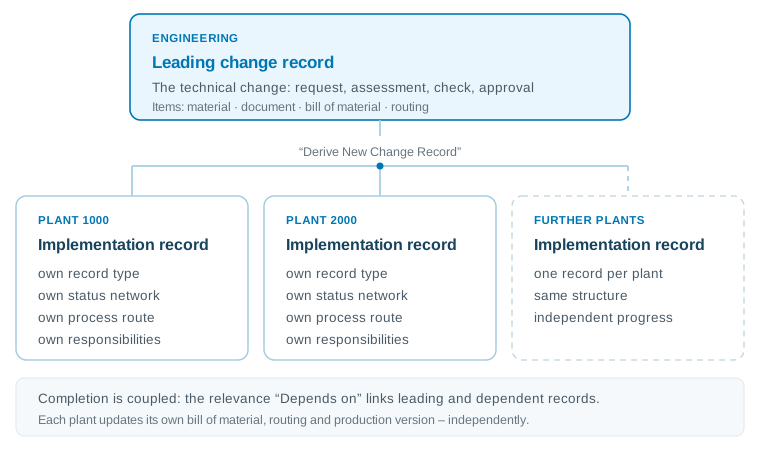
For the record: the Hierarchy tab only shows what has been created by splitting or merging. Both are only possible as long as no change number has been created for the record, and items are moved rather than inherited. The derived records, not the Hierarchy tab, therefore carry the running implementation.
Extensions are not an end in themselves. The core stays standard so that the next upgrade stays manageable.
We keep the core clean: the change record stays SAP standard. It is adapted through settings – record type, status profile, rules, route templates, classification – instead of through interventions in the standard. Additions sit alongside so that an upgrade does not turn into a project. Modifications of SAP objects are not part of it.
What that means for grown custom code and how legacy can be assessed and replaced is on our page about clean core and custom code migration.
The standard already shows the progress graphically and logs field changes. Our extensions start where the question is: why does the record stand here – and what exactly did the last transition check?
A walk through the change record – from the launchpad entry point through process progress, gate rules and record information to the answer of the AI assistant. Each station states whether it is SAP standard or part of our extensions. All images are anonymised: names, identifiers and labels have been removed or replaced with sample values. The user interface is shown in German.
From the launchpad into the record: where the change process starts and what the header of a change record shows. All four stations are SAP standard.
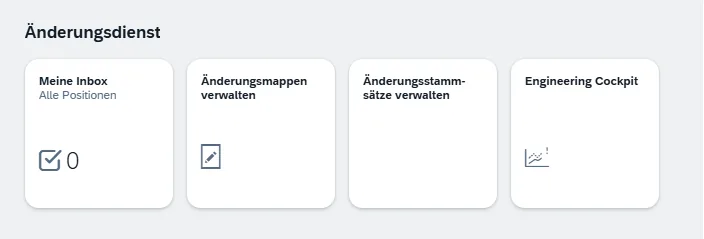
Standard. The change service group bundles the apps around the change process: My Inbox, Manage Change Records, Manage Change Masters and the Engineering Cockpit.
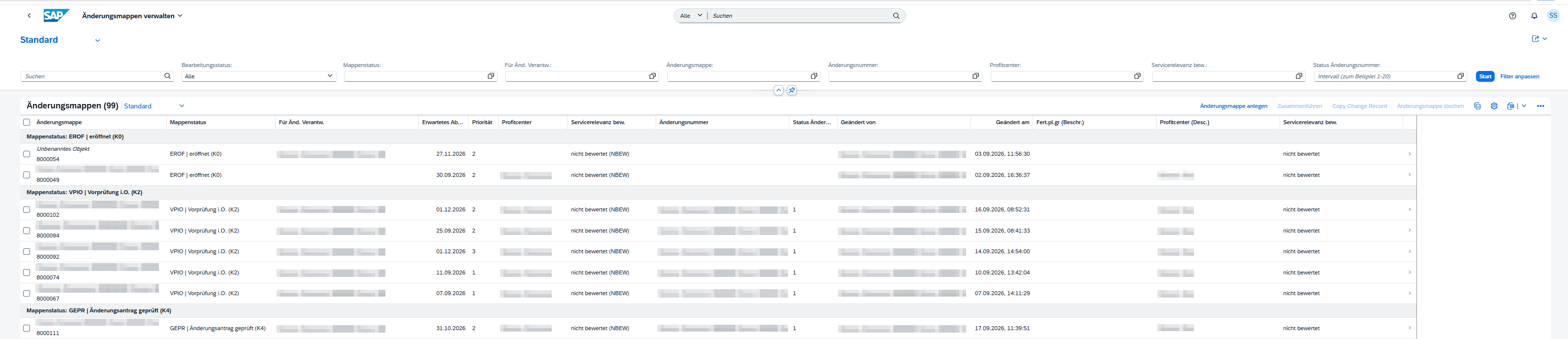
Standard. The worklist shows the change records grouped by record status – the user status that the status profile of the record type defines. Filter row, priority, expected completion date and service relevance sit in the same list.
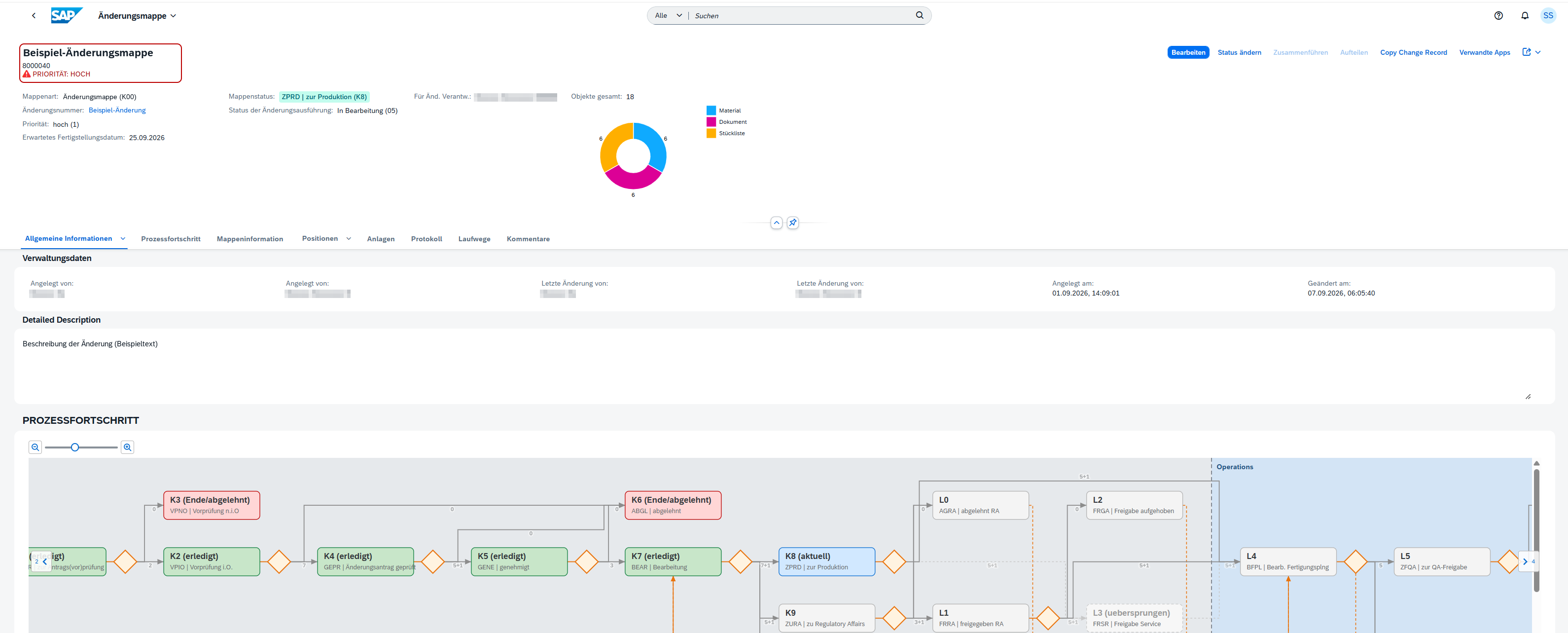
Standard. Record type, status, priority and expected completion date sit at the top. The record type is the setting that supplies the number range, the status profile and the permitted object types. The ring on the right counts the affected objects by material, document and bill of material.
Standard. The General Information tab holds the administrative data and the description of the change. Which fields are mandatory, read-only or hidden here is steered by the dynamic field control per stage. The process progress tab starts directly below it.
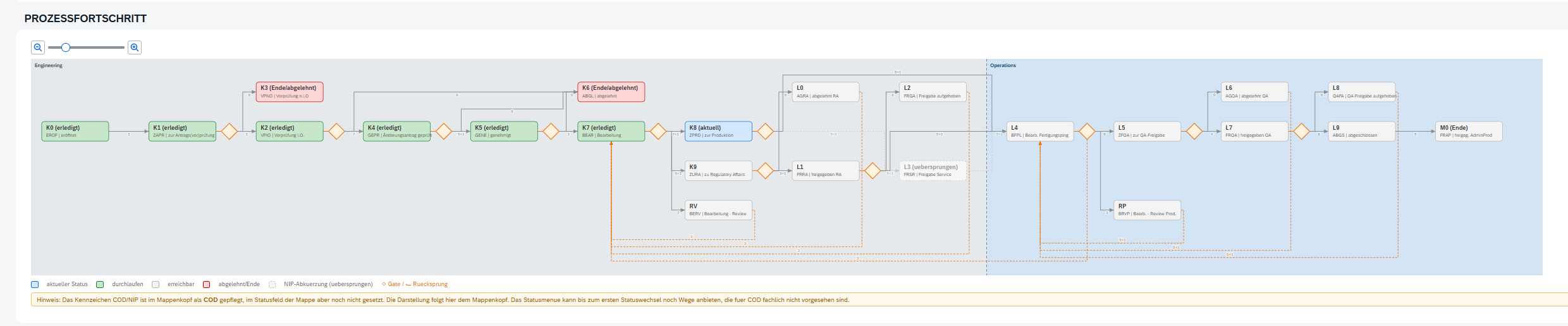
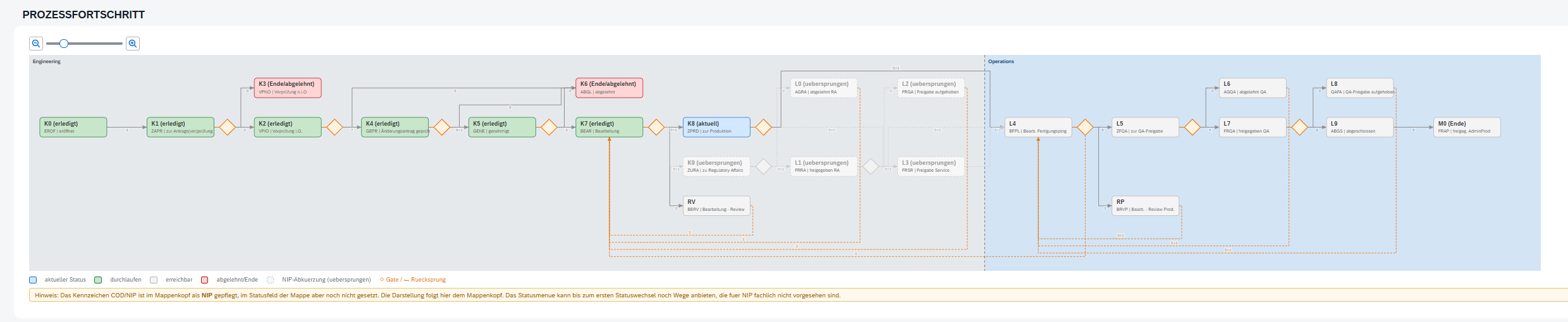
The SAP standard already shows the progress as a chart. This tab maps the status network completely – with the gates between engineering and operations and also with the paths that were not taken.
Extension. All stages sit next to each other: engineering (K0–K9), operations (L0–L9) and the completion (M0). Colours separate the current status, completed, reachable and rejected stages. The diamonds in between are the gates – the transitions where the checks run.
At the gate sit the rules checked during the transition, the decision that was taken and the log of the field changes – in the same picture instead of in three views.
Extension. Pointing at a gate reveals the checks of the transition – for example material status, object in another change record or where-used – plus the checks that always run in the example shown.
Extension. A click on the gate opens the decision; in this example the dialog shows timestamp, user and the transition from one stage to the next.
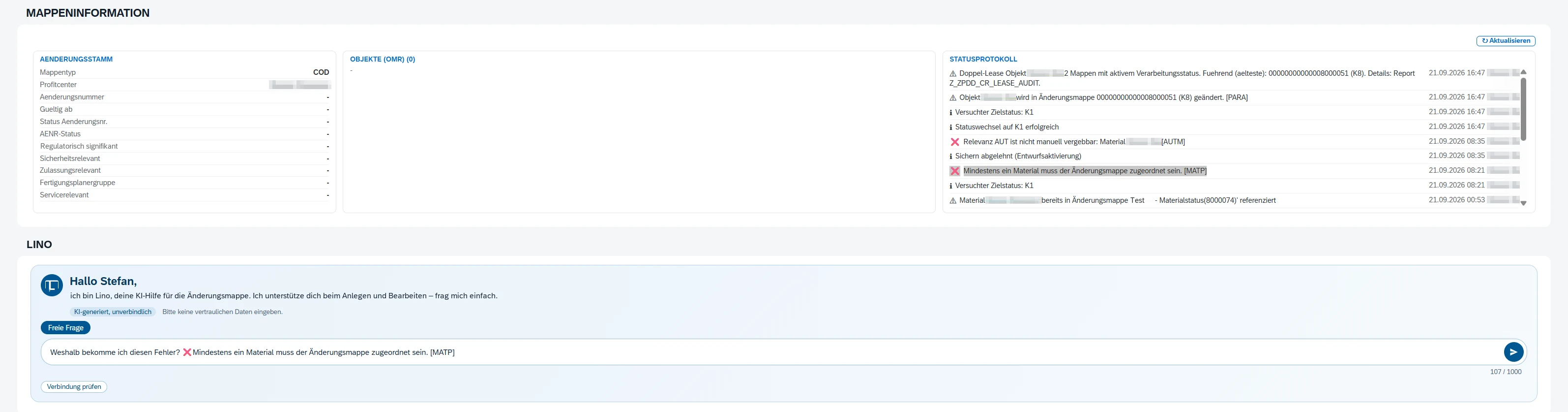
Change master, object list and status log sit side by side in one tab.
Extension. On the left the change master, which carries the change number and the effectivity date, with its flags for approval, safety and service relevance; in the middle the object list, on the right the status log with the check messages and timestamps. Refresh fetches the current state.
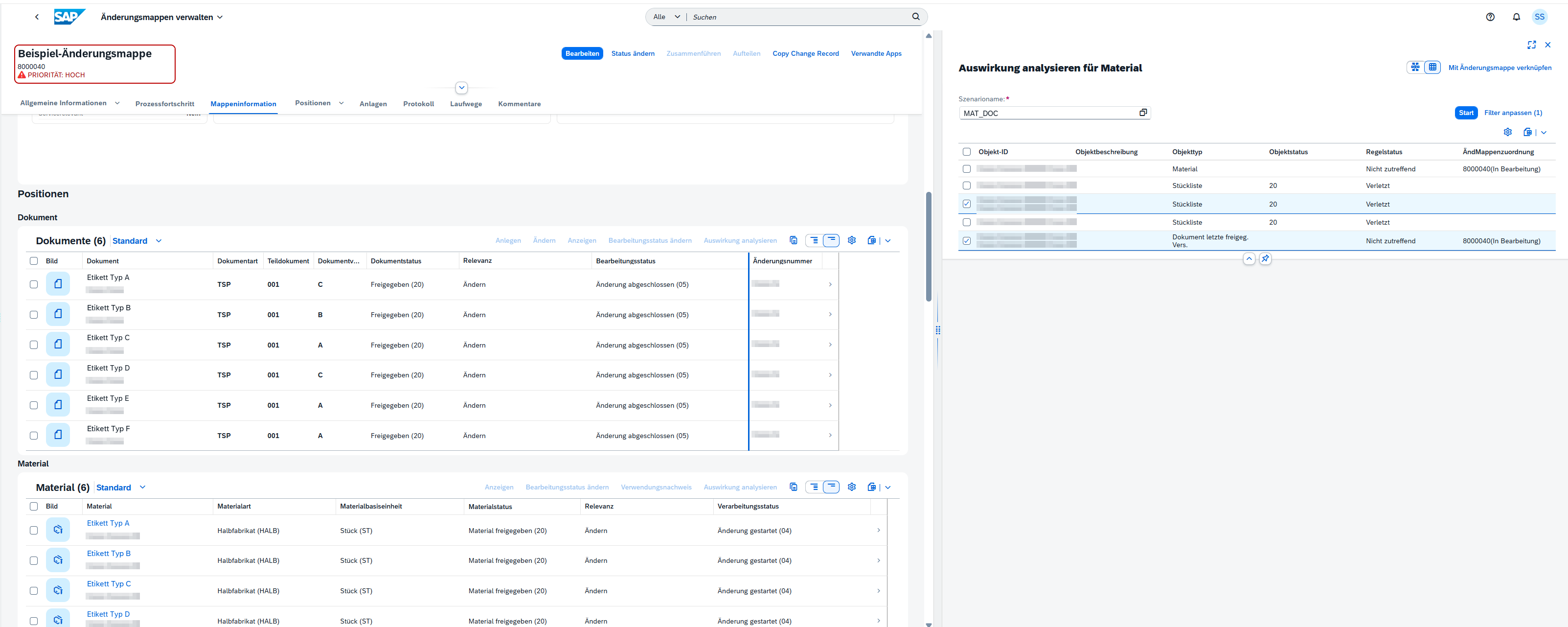
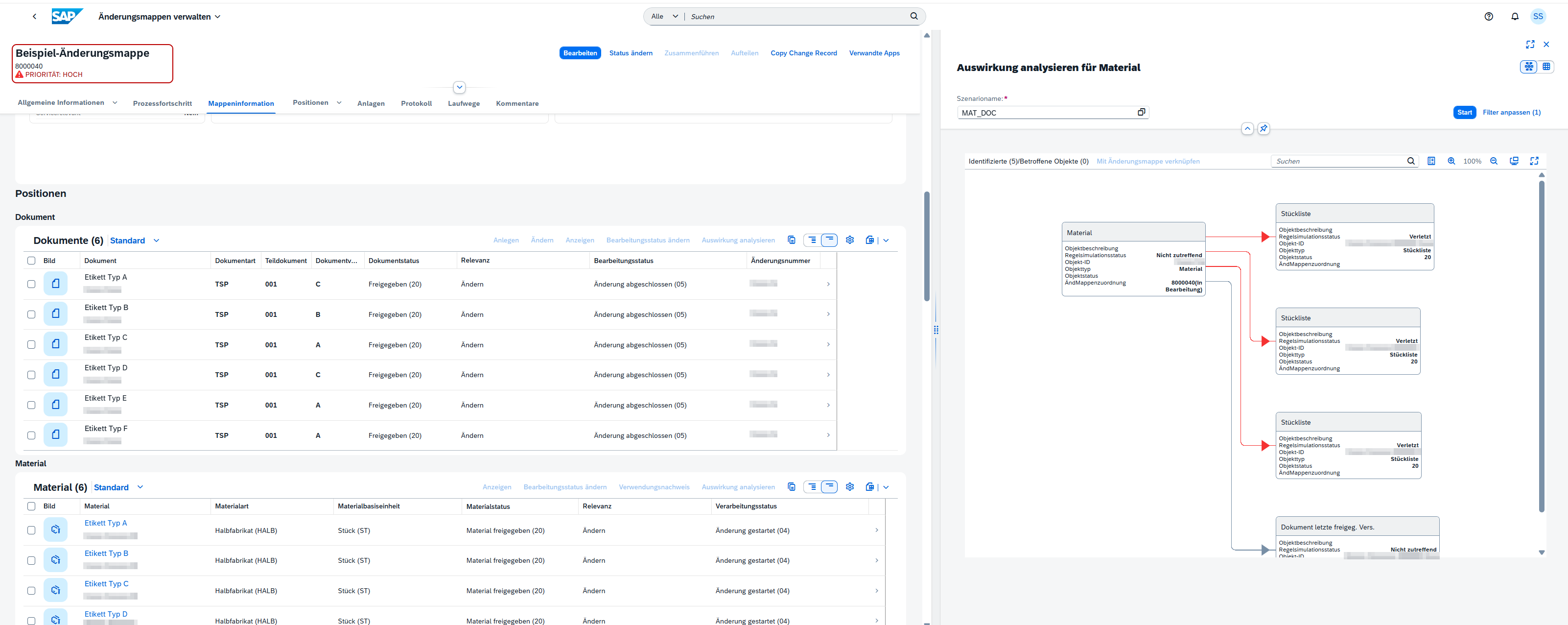
Both are SAP standard: the items carry the affected objects, the impact analysis uses a scenario to find what else depends on them.
Standard. The items list documents and materials with their processing status; the item relevance says why an object is in the record. On the right the impact analysis runs on a scenario and shows type, status and rule status per object.
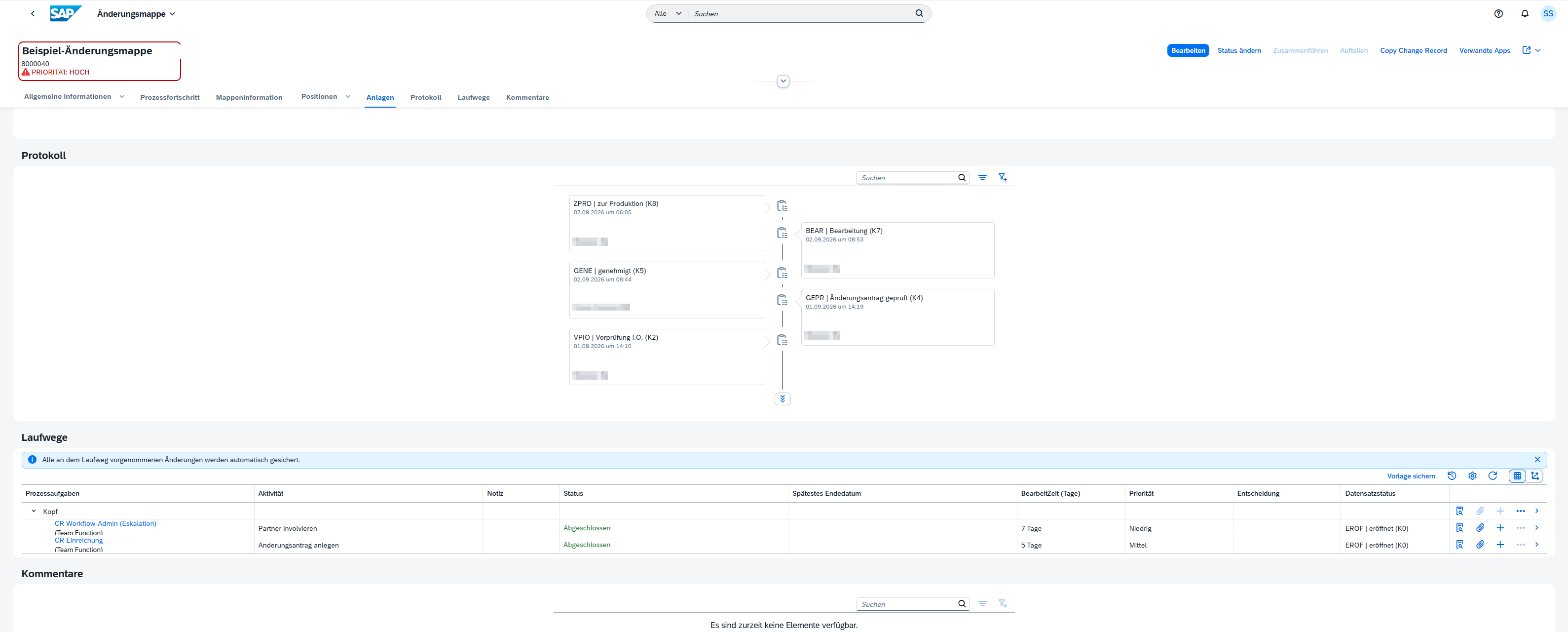
Standard as well: status transitions as a timeline, the process route as a chain of process tasks.
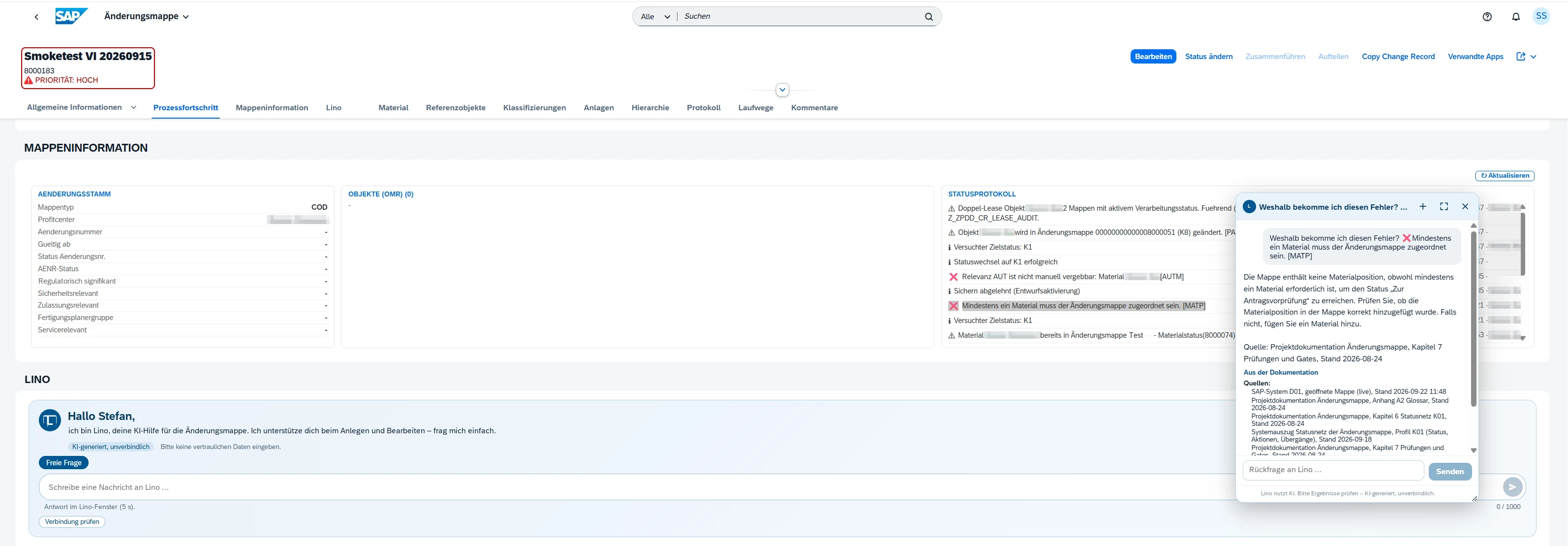
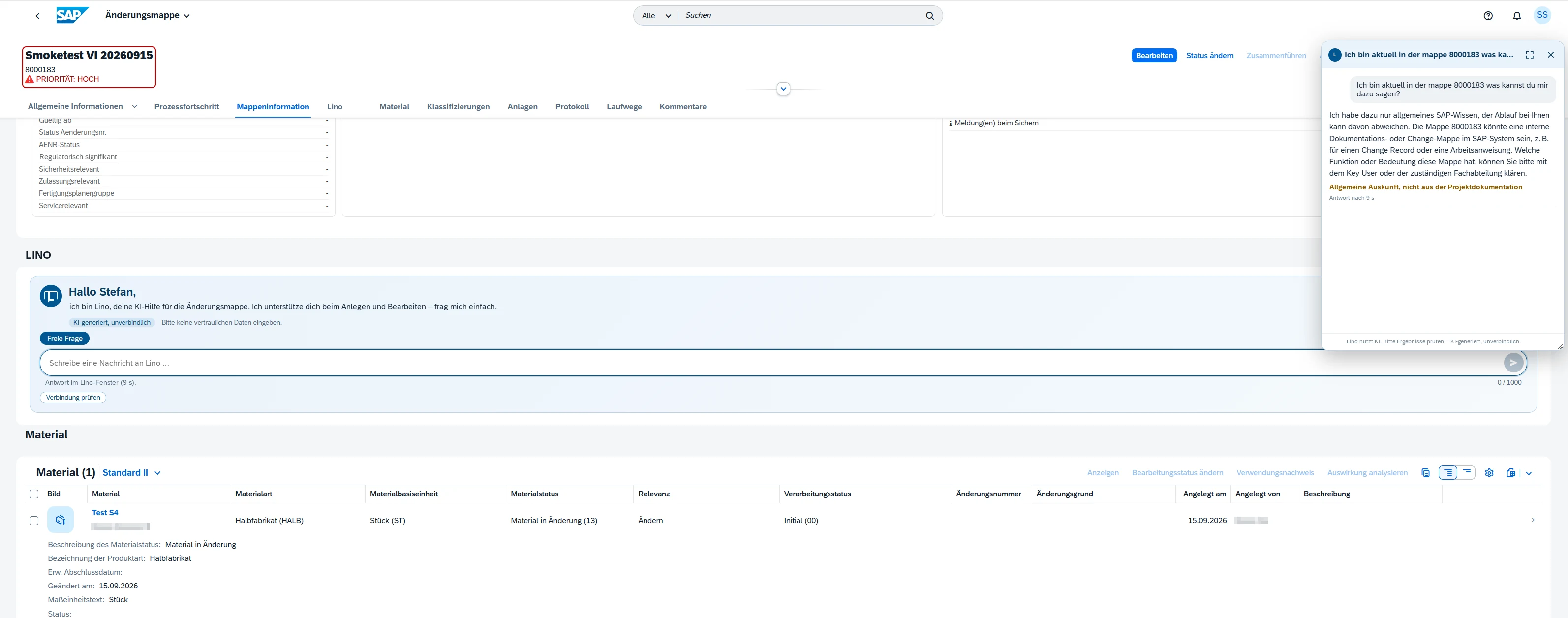
Lino sits inside the change record: it answers questions about the process and about messages – with sources and a clear label.
Extension. A message from the status log can be handed over to Lino directly. Above the input field a note states that answers are AI-generated and not binding and that no confidential data should be entered.
Extension. Lino explains the message and names the sources it relies on: chapters of the project documentation, live data of the open change record and an extract of the status network.
SAP, SAP S/4HANA and SAP Fiori are trademarks or registered trademarks of SAP SE in Germany and other countries.
What the extensions change in the daily work with change records.
The status network shows where the change record stands, which path led there and which stages are reachable – including the skipped ones.
The rules of the transition can be shown at the gate, together with the decision and the log of the field changes.
Impact analysis and change record information show the affected objects and the messages about them before the next stage is due.
Lino answers questions inside the change record, names its sources and makes visible what is only general information.
The same change record, four perspectives.
The change request is assessed, the affected materials, documents and bills of material hang on the record instead of in a side list, and the path through the approval stages is visible.
1Moves the change through the stages, distributes the implementation to the plants and sees from the related records where it is stuck – without asking every plant separately.
2Gets an own record with an own due date for the own plant: plant-specific bill of material, routing and production version are updated there, independently of the progress of other plants.
3Relevance flags, check messages and gate decisions sit on the change record – depending on the setup traceable with timestamp, user and field change.
4Five questions we are regularly asked about the change record.
See the change record with our extensions in a demo – along your questions, on your process.
Book a demoOur experienced team is ready to answer your questions and accompany you on your journey into digital transformation. Don't hesitate to contact us.